Lancer des applications Flower
Pour lancer une application Flower sur SuperGrid, vous avez besoin d’une fédération. La fédération peut être une fédération de simulation ou une fédération de déploiement. Pour les fédérations de déploiement, les nœuds Super doivent également être ajoutés à la fédération. Si vous avez encore besoin de créer une fédération, voir Créez et Gérez les Fédérations sur SuperGrid. Si vous avez besoin d’enregistrer et de connecter des nœuds Super avant cela, voir Connecter des SuperNodes à la grille SuperGrid.
This guide shows two ways to run a Flower App on SuperGrid: directly from Flower Hub, and from a Flower App project on your machine. It uses the @flwrlabs/demo app as an example, but the same workflow applies to other Flower Apps, whether or not they are listed on Flower Hub.
The sections below show the SuperGrid UI workflow. At the end of this page, the same steps are shown in compact form with the Flower CLI.
Lancer des applications Flower à partir de la plateforme Flower
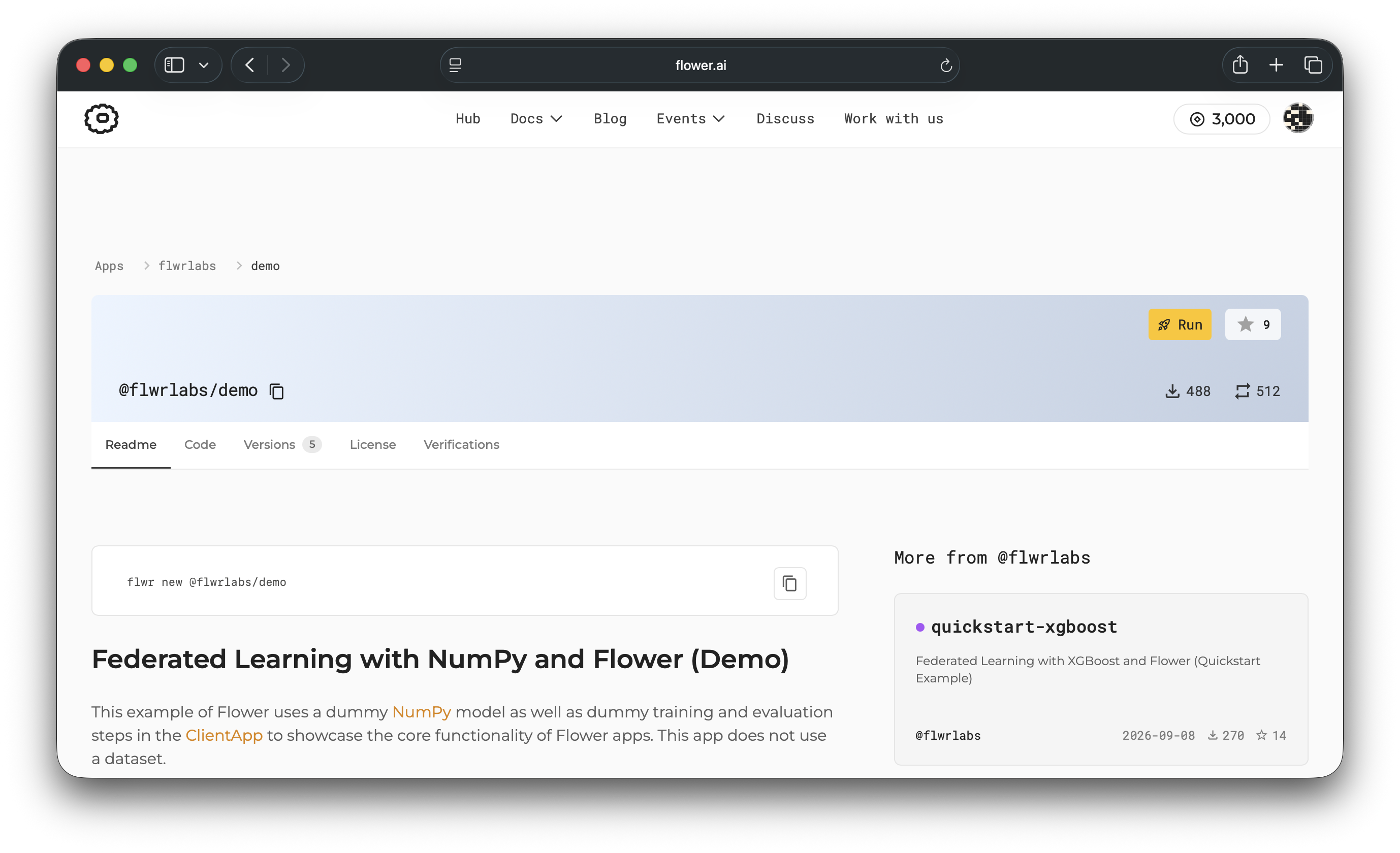
Running directly from Flower Hub is the quickest way to get started. Open an app page,
for example @flwrlabs/demo, and click
Run.
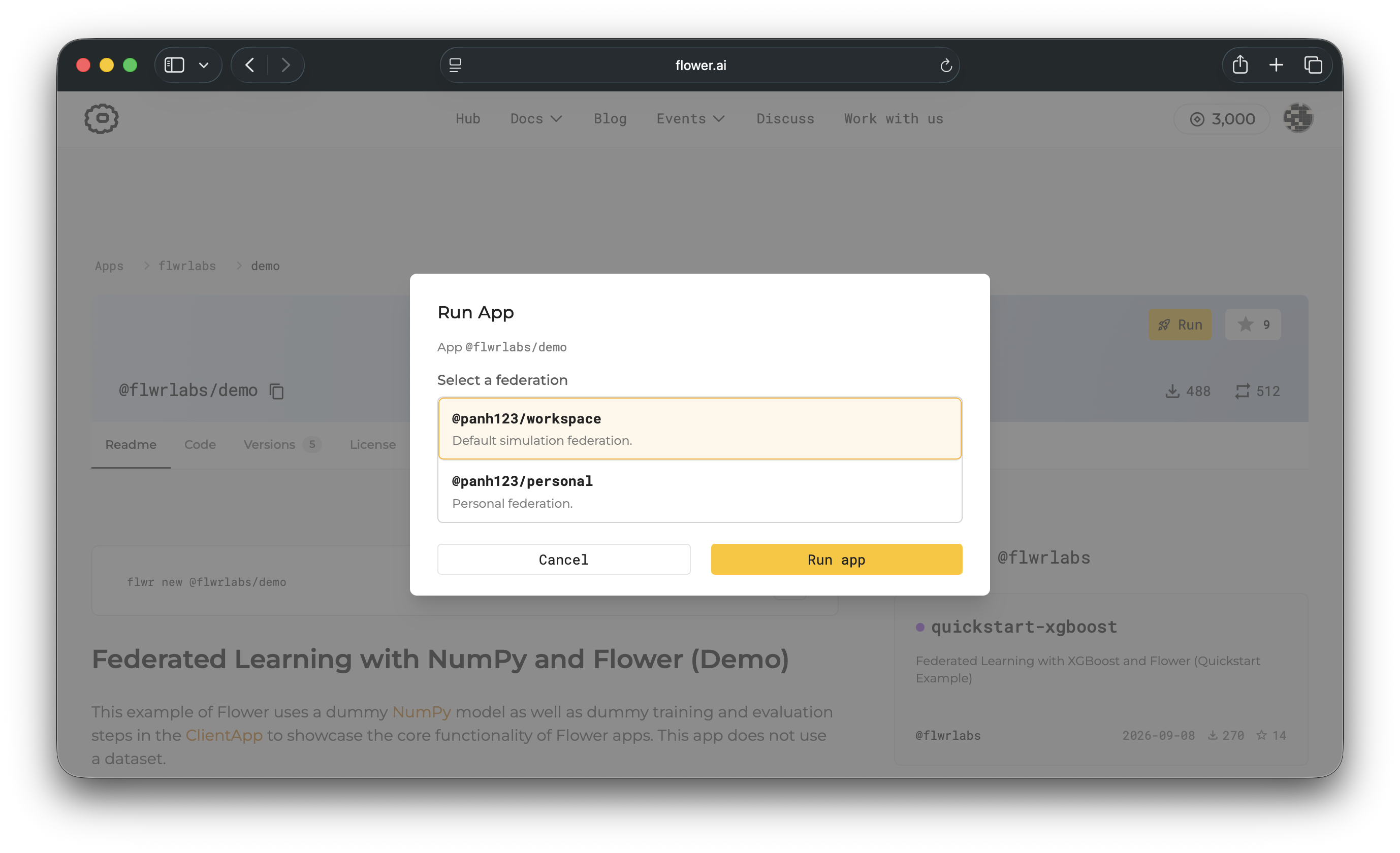
Sélectionnez la fédération pour exécuter l’application, puis cliquez sur Run app.
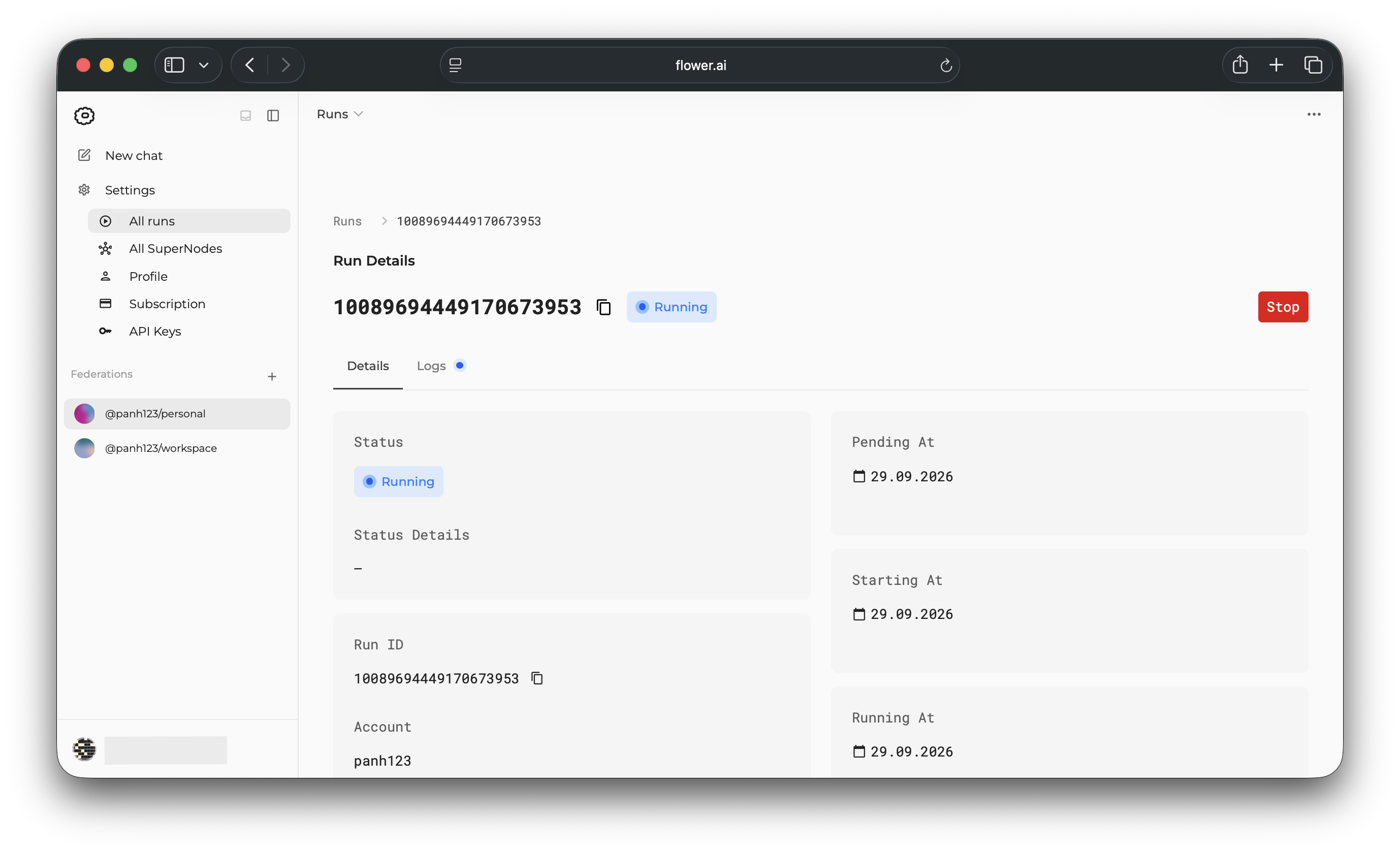
Après le démarrage de l’exécution, ouvrez la fédération dans le SuperGrid dashboard pour inspecter l’état de l’exécution.
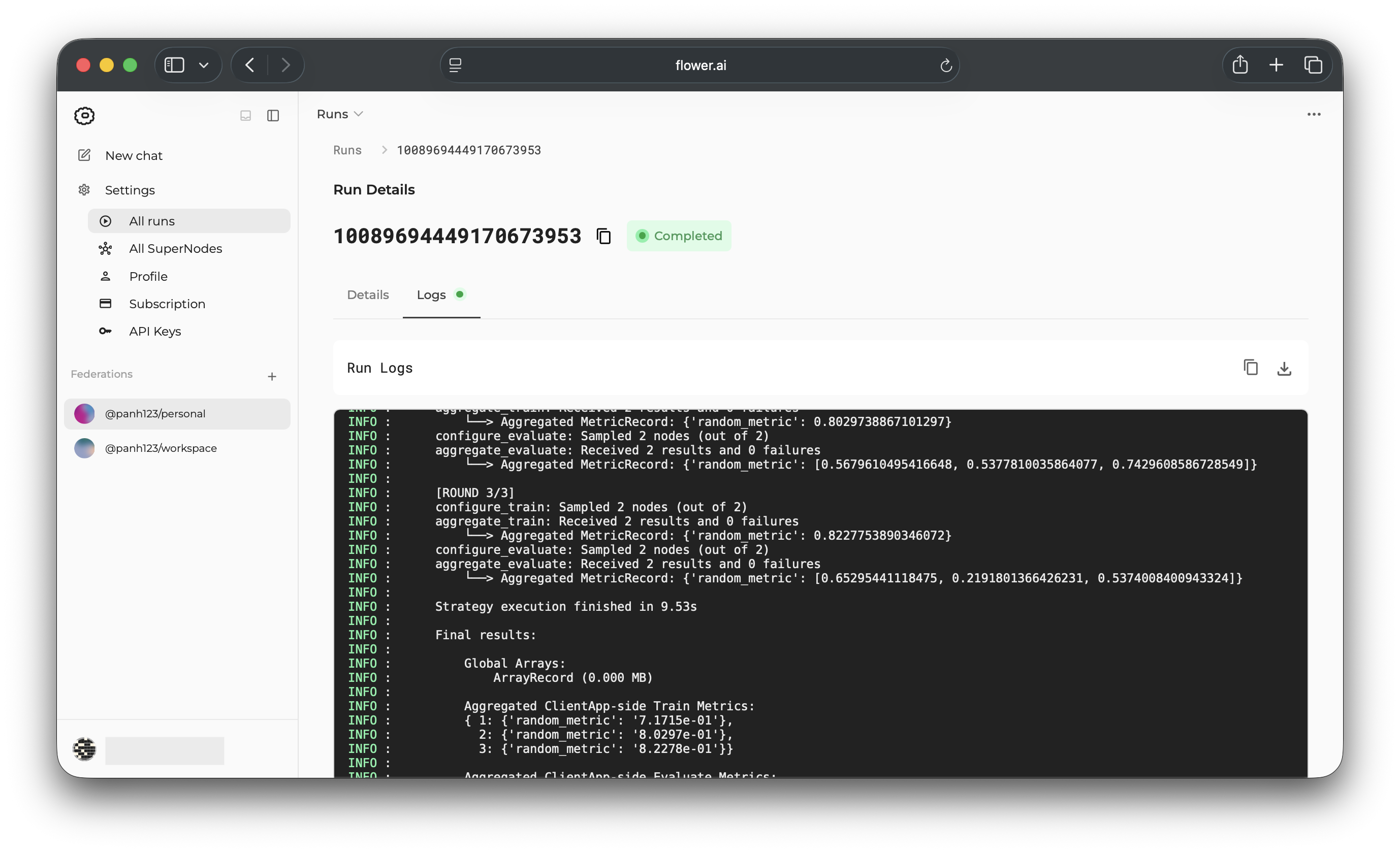
Ouvrez la page Logs pour inspecter les journaux d’application.
If you visit the All runs page, the run appears in the list of your runs.
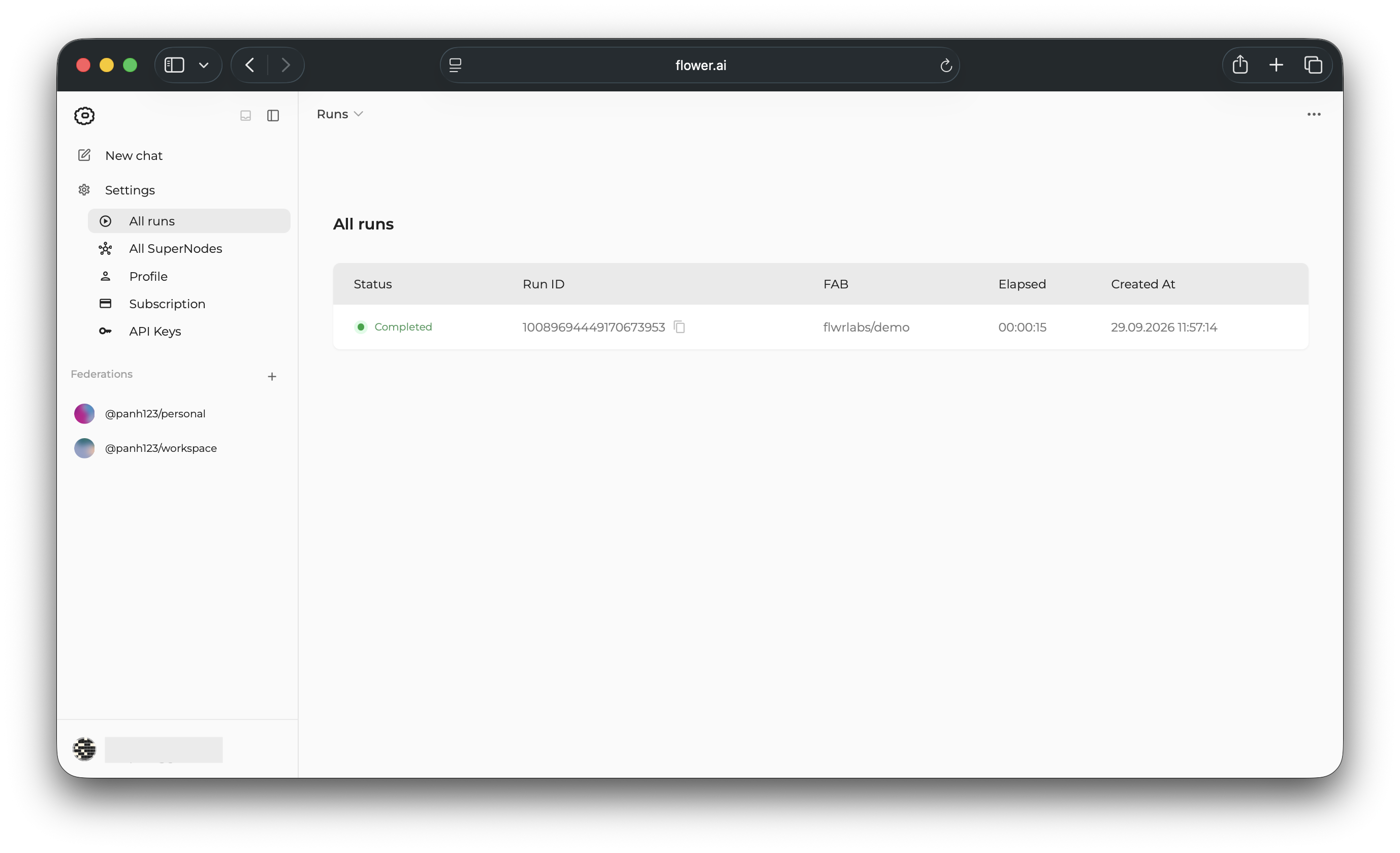
Lancer des applications Flower depuis votre machine
Vous pouvez également lancer une application Flower sur SuperGrid depuis votre machine locale. Utilisez ce workflow lorsque vous voulez inspecter ou modifier une application avant de la soumettre à SuperGrid, ou lorsque vous êtes en train de développer une application Flower localement et ne souhaitez pas la lister sur la plateforme Flower.
Cette section suppose que vous avez configuré un environnement Python. Installez Flower avec pip :
$ pip install -U flwr
Tirez l’application localement avec flwr new :
$ flwr new @flwrlabs/demo
$ cd demo
Then, log in to SuperGrid with flwr login. This opens a browser window where you can
authenticate with your SuperGrid account. Finally, run the app with flwr run and use
--federation to choose the target federation:
Note
Replace @<username>/<federation-name> with your federation ID, for example
@peter123/my-federation.
# This opens a browser window where you can log in to SuperGrid.
$ flwr login supergrid

$ flwr run . --federation @<username>/<federation-name>
🎊 Successfully started run 1859953118041441032 in federation @<username>/<federation-name>
The run appears on the All runs page.
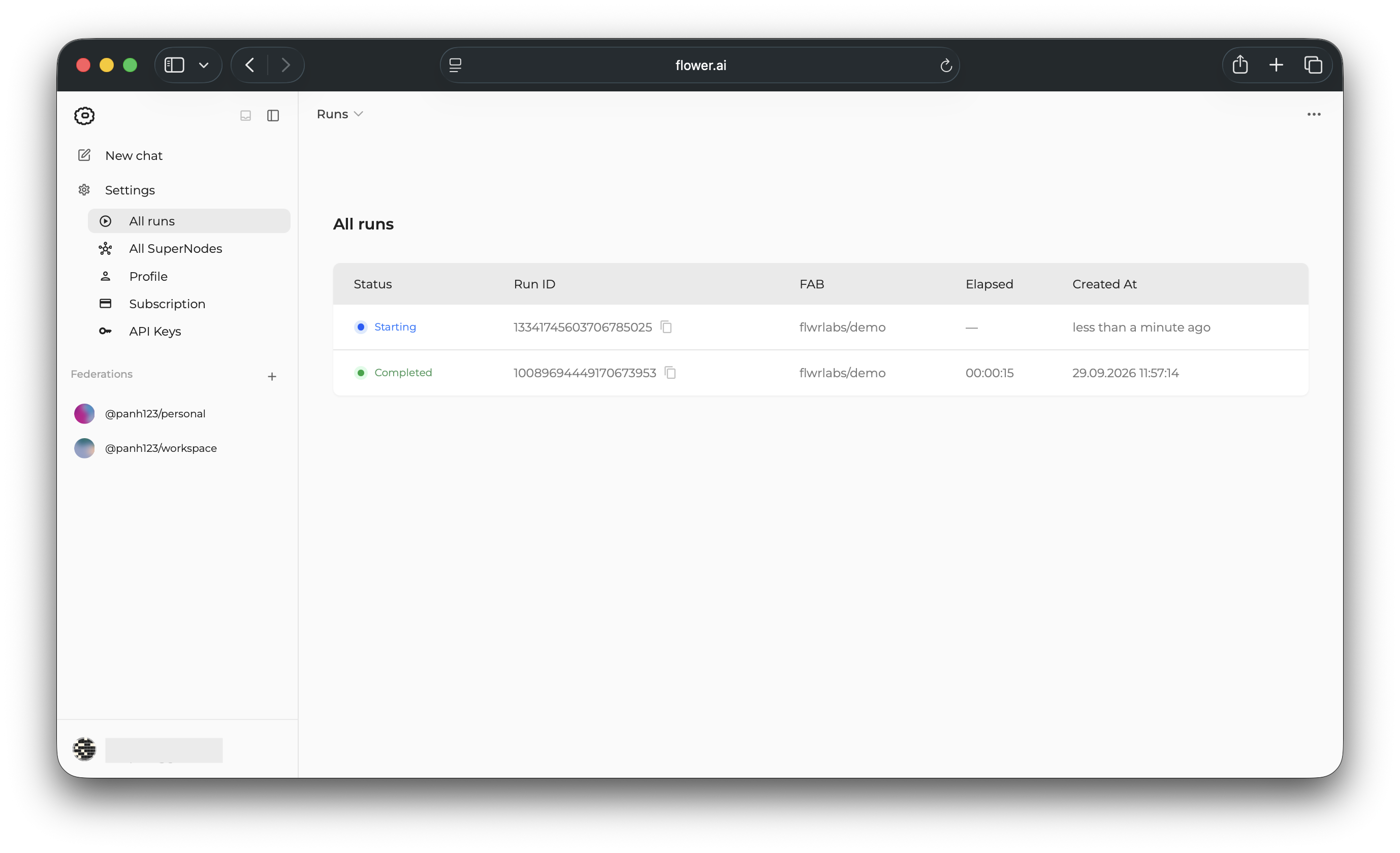
Personnaliser la configuration d’exécution
Flower Apps can define default runtime settings in the [tool.flwr.app.config]
section of their pyproject.toml. The demo app used in this guide defines
num-server-rounds to control how many rounds its ServerApp runs:
[tool.flwr.app.config]
num-server-rounds = 3
Les applications peuvent définir des paramètres supplémentaires dans cette section et les lire à partir du code de l’application, par exemple les taux d’apprentissage, les tailles de modèle, les tailles de lot ou les options spécifiques au jeu de données.
You can override app-defined values for a single run with the --run-config flag. The
following command runs demo on SuperGrid with num-server-rounds set to 5:
$ flwr run . supergrid --federation @<username>/<federation-name> \
    --run-config "num-server-rounds=5"
Note
Pour plus de détails sur la configuration d’Application Flower dans pyproject.toml, voir Configurez un pyproject.toml.
Advanced
Everything shown above in the SuperGrid UI can also be done with the Flower CLI.
Log in to SuperGrid:
$ flwr login supergrid
Run an app directly from Flower Hub:
$ flwr run @flwrlabs/demo supergrid \
    --federation @<username>/<federation-name> \
    --stream
Inspect runs and logs from the terminal:
# List all your runs (across federations)
$ flwr list supergrid
# Show additional details of a run
$ flwr list --run-id <run-id> supergrid
# Show federation details (including runs) for a specific federation
$ flwr federation list supergrid --federation @<username>/<federation-name>
# Show logs of a run
$ flwr log <run-id> supergrid