Commencez avec Flower
Bienvenue dans le tutoriel d’intelligence artificielle collaborative de Flower !
Dans ce tutoriel, vous apprendrez à exécuter une application Flower directement sur SuperGrid. Vous utiliserez une application existante depuis Flower Hub. Cela signifie que vous n’aurez pas besoin d’écrire de code pour terminer le tutoriel, mais vous obtiendrez toujours une introduction pratique aux concepts clés de l’intelligence artificielle collaborative avec Flower. Vous obtiendrez également un aperçu des coulisses pour comprendre comment Flower exécute votre application et comment les différents composants interagissent entre eux.
Astuce
Star Flower on GitHub ⭐️ et rejoignez la communauté Flower sur Flower Discuss ou Flower Slack pour vous présenter, poser des questions et obtenir de l’aide.
Allons-y ! 🌼
Accédez à SuperGrid
Le seul prérequis pour ce tutoriel est d’avoir un compte sur SuperGrid. Inscrivez-vous sur flower.ai ou connectez-vous si vous avez déjà un compte.
Exécutez une Application Flower
Once you have logged into flower.ai, you are ready to start running Flower Apps. A Flower App is a Python project that defines the logic of your collaborative AI workload. More details will be covered in the next tutorial, but for now you can think of a Flower App as the code that defines what happens on the server (SuperGrid) and SuperNodes during your collaborative AI workload.
Flower Hub est un ensemble d’applications Flower ouvertes que vous pouvez utiliser et apprendre. Dans ce tutoriel, vous utiliserez l’application @flwrlabs/demo. Elle est maintenue par l’équipe Flower et exécute une simple charge de travail IA collaborative dans laquelle le serveur agrège des tableaux NumPy envoyés par les clients.
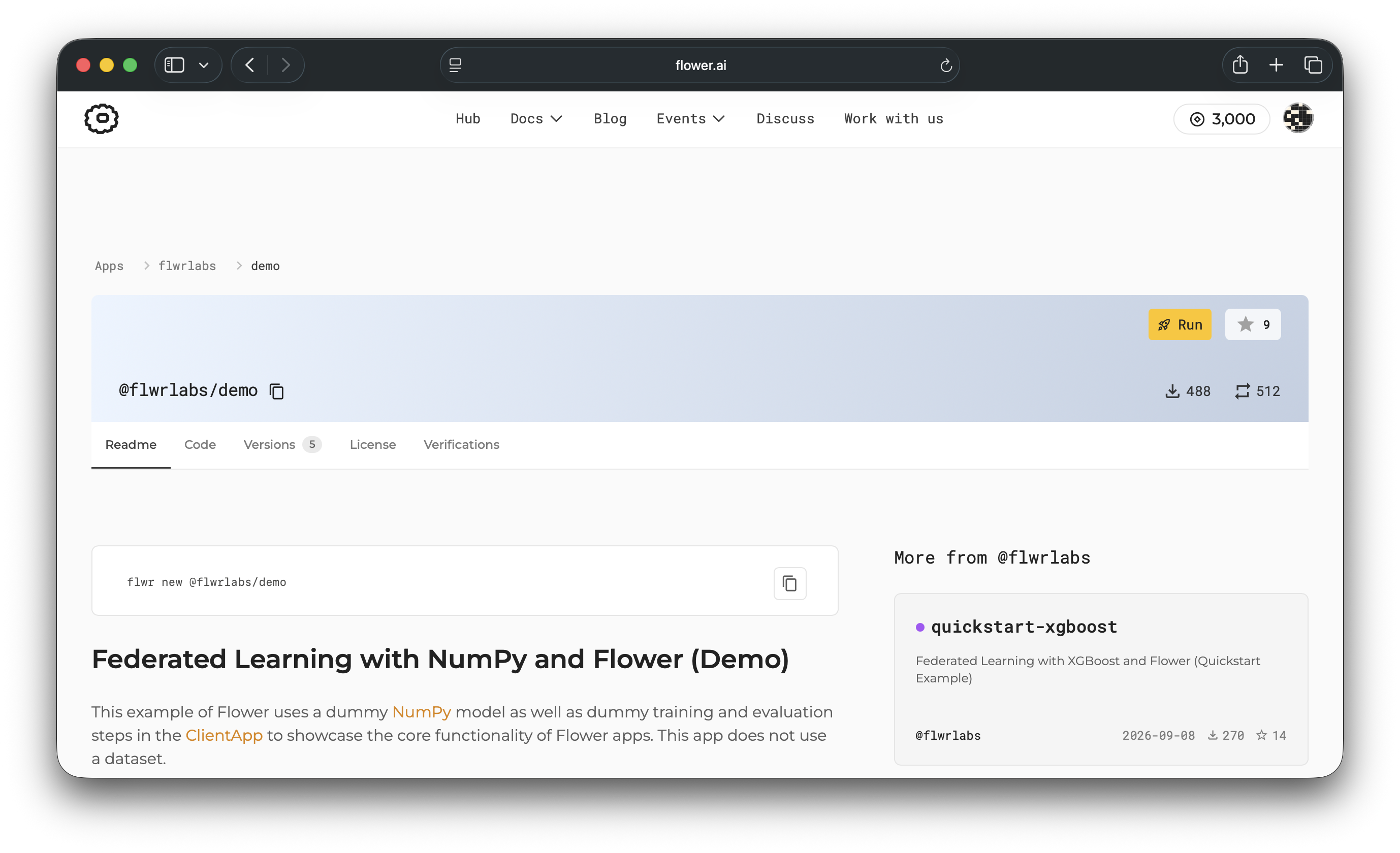
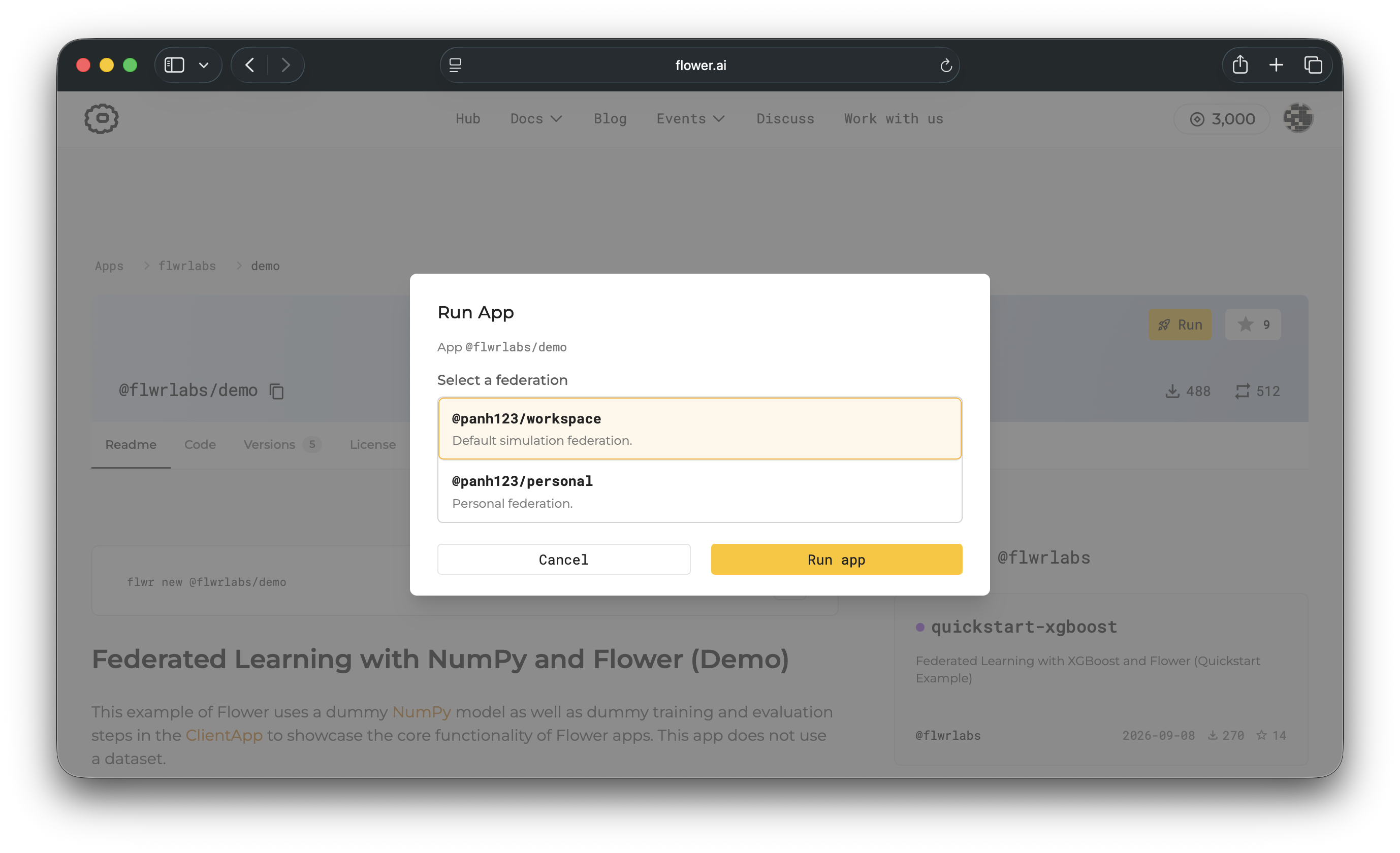
When you click the 🚀 Run button, you’ll be asked which federation to run the app on.
Select @<your-account>/workspace (this is a federation created automatically by
SuperGrid under your profile), then click Run app.
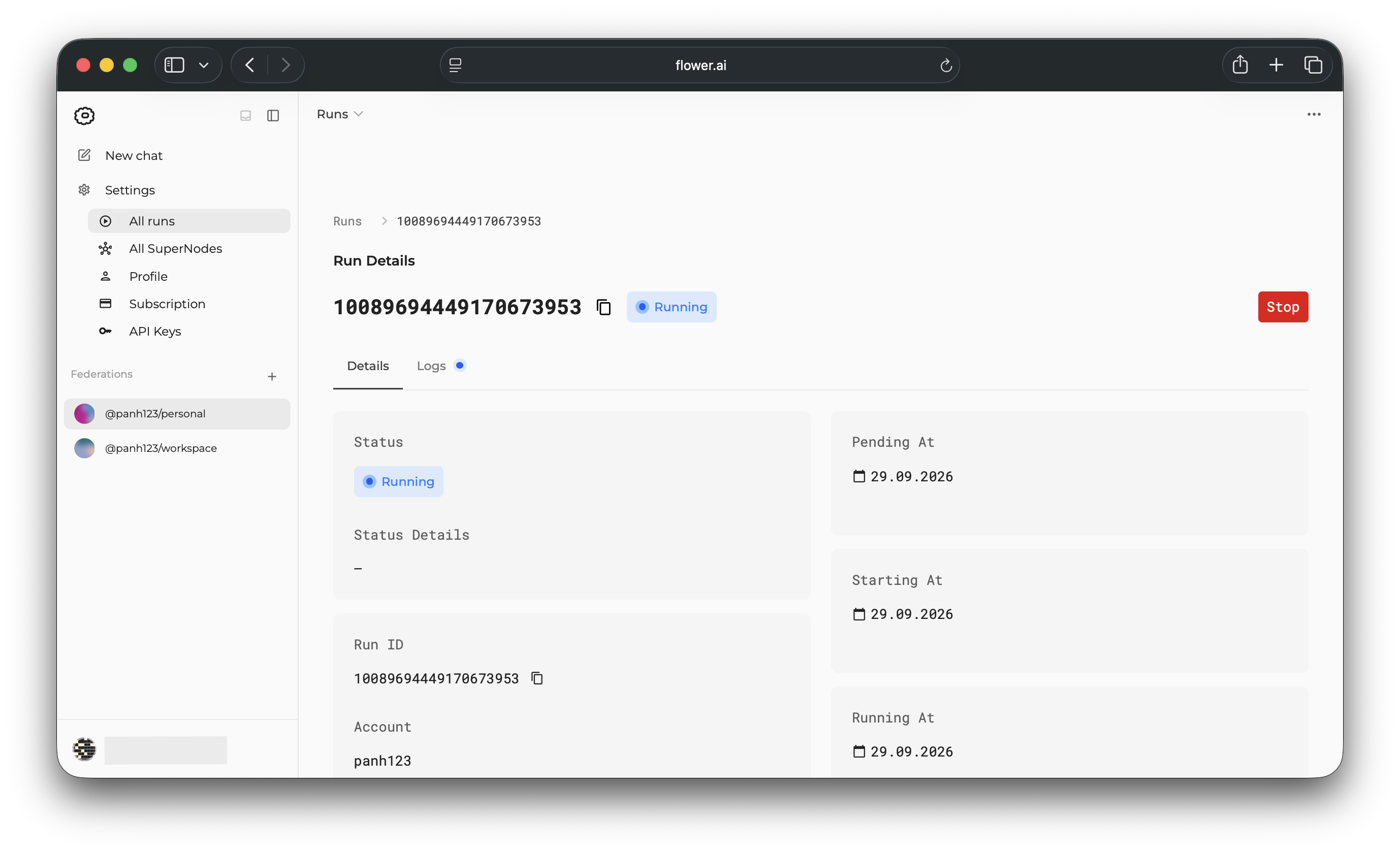
Peu après avoir lancé votre application, votre exécution commencera et vous verrez la page des détails de l’exécution. Cette page vous montre le progrès de votre exécution et vous donne des informations sur l’exécution de votre application.
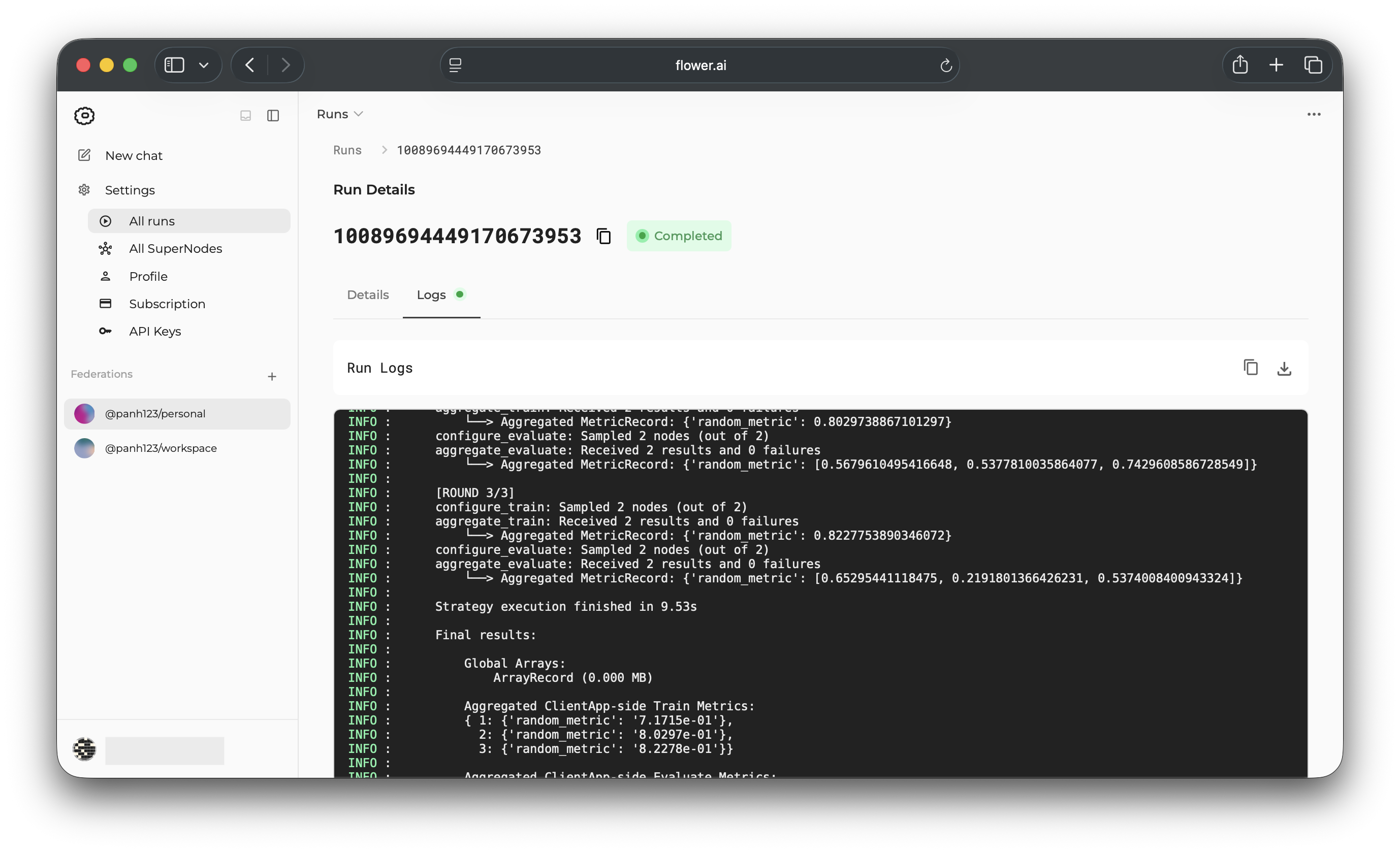
If you click the Logs tab, you’ll see the logs from the app execution. This demo app
ran for three rounds and sampled all two SuperNodes in each round. In each round, the
server aggregated different metrics received from the clients. You can see these in the
logs under the 'random_metric' key. At the end, the logs show the aggregated results
from all rounds.
Remarques finales
Congratulations, you have successfully run your first Flower App on SuperGrid! You’ve taken your first step into the world of collaborative AI with Flower. In this tutorial, you used a federation with simulated SuperNodes and ran an existing Flower App across them. You also explored the SuperGrid dashboard to monitor your app’s progress and view its logs.
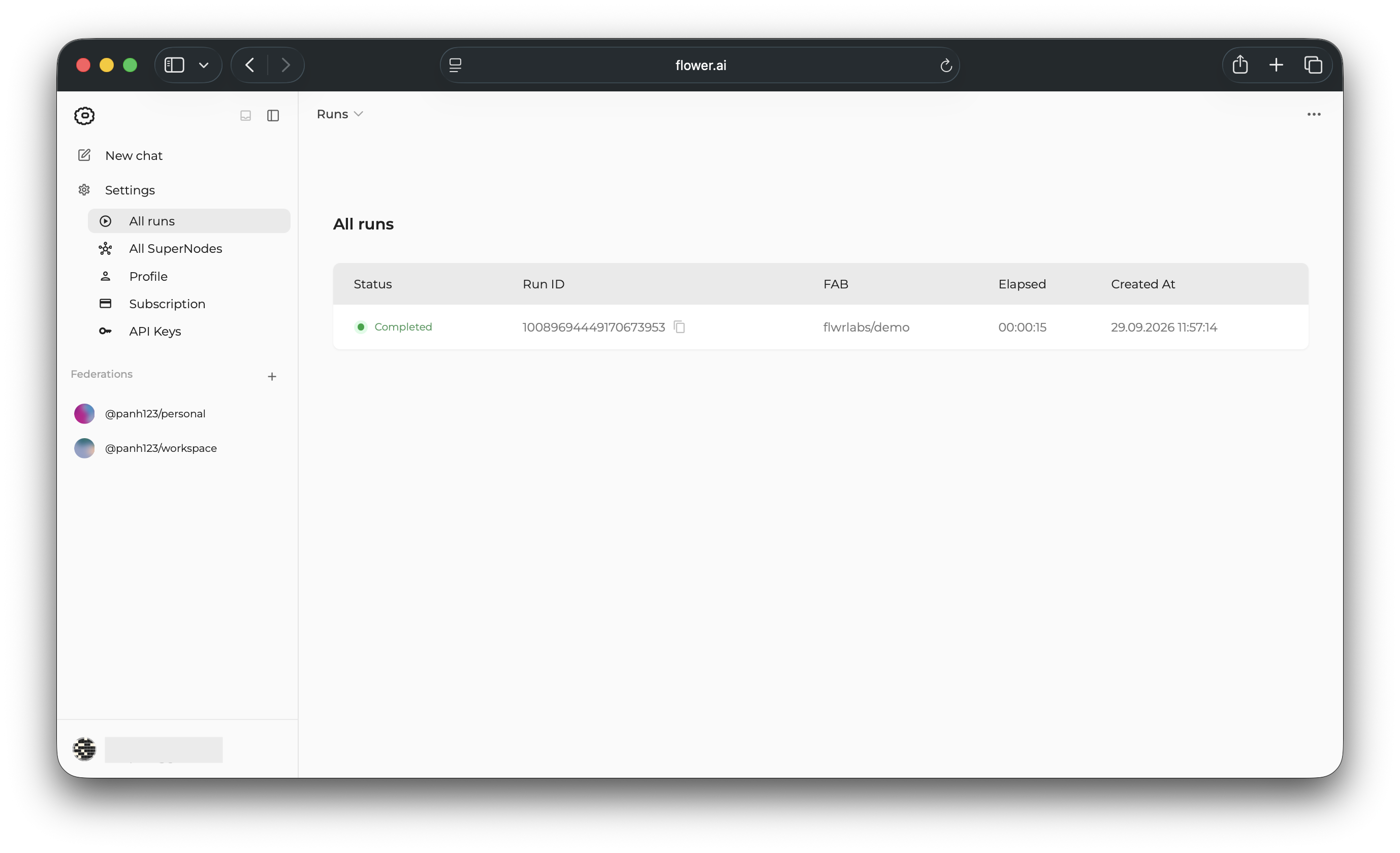
To find the run later, visit the All runs page. Click the run you launched to reopen its details page.
Dans le prochain tutoriel, vous téléchargerez une application Flower existante, l’exécuterez depuis votre machine locale sur SuperGrid, effectuerez une petite modification et apprendrez comment les composants principaux de l’application Flower s’intègrent.
Prochaines étapes
Avant de continuer, assurez-vous d’adhérer à la communauté Flower sur Flower Discuss (Join Flower Discuss) et Slack (Join Slack).
Il existe un canal Slack dédié si vous avez besoin d’aide, mais nous aimerions également entendre qui vous êtes dans #introductions !
Le Flower Collaborative AI Tutorial - Part 2: Write your first Flower App vous guidera tout au long du processus de personnalisation de votre première application Flower et de la compréhension de la façon dont les composants comme ServerApp et ClientApp interagissent entre eux.