Chat in your browser
Use the browser to get your first Flower Agent response. You don’t need to install Flower or provide a model API key.
Note
The browser interface is experimental and may change between releases.
Before you start
Make sure you have a Flower account with access to Flower Agent. If needed, sign up at flower.ai and request Flower Agent access.
If you plan to use Slack, Notion, GitHub, or Attio later, make sure you can authorize the relevant account. Account connectors work only in your personal Flower workspace, and you won’t need one for this quickstart.
Open Flower Agent
Go to flower.ai/app, select Sign in, and complete the authentication flow. When you return, you should see New chat, a prompt field, an agent selector, and your federations in the sidebar.
Flower starts in your @<account>/personal federation. The federation shown in
the page header or breadcrumb is where this conversation’s runs will execute.
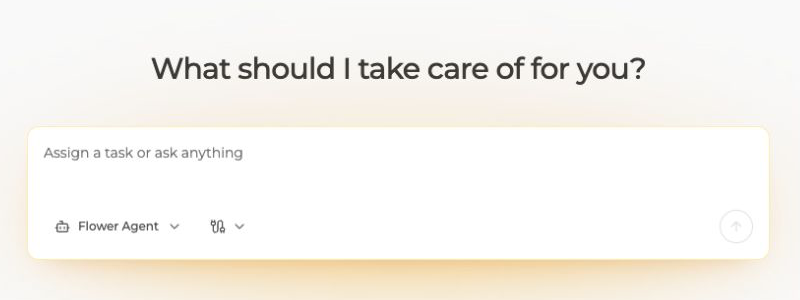
A new browser chat starts with Flower Agent selected. The connector control is beside the agent selector.
Choose an agent
Keep Flower Agent selected for the first run. If the selector is empty or still loading after a refresh, see Troubleshoot AgentApp runs.
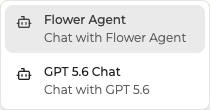
The agent selector lists the agents available for the current execution workspace.
Leave account connectors unselected for now. You can add them after the first run works.
Send a deterministic prompt
Enter:
Reply with exactly: Flower Agent is ready.
Submit the prompt and wait for the run to finish.
Success checkpoint
You should see your prompt and a completed response in the same conversation. The exact wording may differ, but the run should start, show output, and finish without an error.
Check conversation context
In the same conversation, ask:
What exact phrase did I ask you to return?
The default Flower Agent includes earlier messages from the run series, so it should remember the phrase. Custom AgentApps need to replay stored messages themselves.
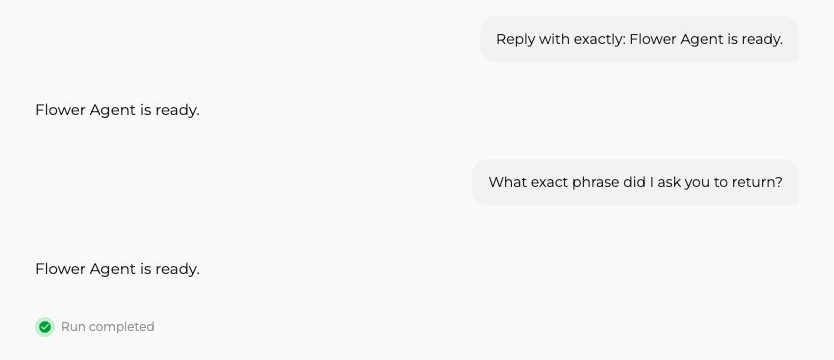
The follow-up uses the earlier turn, and the conversation shows the run as completed.
Select New chat before starting an unrelated task.
The conversation appears below the personal federation in the sidebar. Select it there when you want to return to it. You can also select another federation in the sidebar and start a chat with one of the agents assigned to it.
What happened
Each submitted message starts one run of the selected AgentApp. Flower
groups related runs in a run series, which the browser presents as a
conversation. The run series belongs to a federation. The runtime gives the
AgentApp an OpenAI-compatible model endpoint, an AgentSession for the prompt,
connectors, and frontend-visible events, and a Context for run configuration
and state.
See Use agents and federations to learn how these pieces fit together.
If the checkpoint fails
If it fails, try these steps in order:
Confirm that you are signed in and have Flower Agent access
Refresh the browser
Start a new chat and retry the deterministic prompt once
Record the visible error, time, app spec, and federation name
Follow Troubleshoot AgentApp runs
Never include access tokens, OAuth callback URLs, connector credentials, or private source content in a support report.
Next steps
Prefer a terminal workflow? Chat in your terminal introduces
flwr chatConnect accounts only if your project needs account data